Outings
A camp, a dinner, the beach or a rest house — with every detail attached.
One app: outings · communities · gatherings · travel
From “who's free tonight?” to the last settlement transfer. Attendance, polls, tasks, supplies and the shared kitty — plus communities to meet people in, gatherings to host, and trips you plan together.
Android — coming soon Already have it? Open the app Or try it in your browser
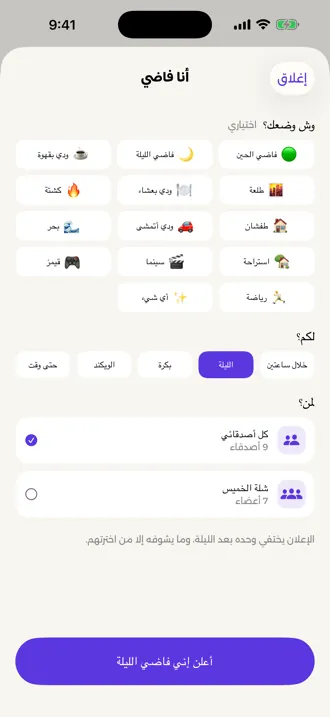
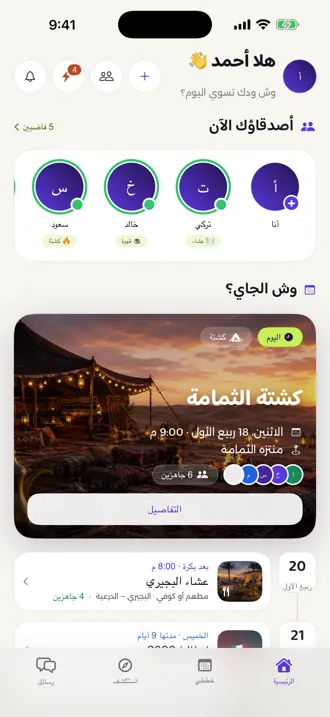
A camp, a dinner, the beach or a rest house — with every detail attached.
Meetups and communities near you, by interest and city.
A real invitation card, a link per guest, and replies you see instantly.
Itinerary, bookings, decisions and expenses in any currency.
Start here
Say you're free, choose how long it lasts and who can see it, and watch which friends are free right now. The announcement expires on its own, and only the people you picked ever see it.
A row on the home screen showing who's free, and what they're up for.
Float an idea to your group, let them vote on the options, then turn it into an outing.
From an announcement or an idea to a real outing — with its time, place and people.
Add a friend by QR code or username, and build a group with its roles and its join link.
Outings
One outing holds all of it: who's coming, where and when, what you'll do, who does what, what everyone brings, and what each person owes.
One shared link, a personal invite per person, or a QR code.
Pick the spot on the map; everyone opens it in Google Maps.
End the debate: options, visible votes, one decision.
Everyone knows their job — no “I thought you had it”.
A list of items with quantities, and who committed to each one.
A clear record of who paid and who owes — you transfer outside the app.
Yalla Netlaa never holds money and never moves it. These are bookkeeping records that tell you who owes whom.
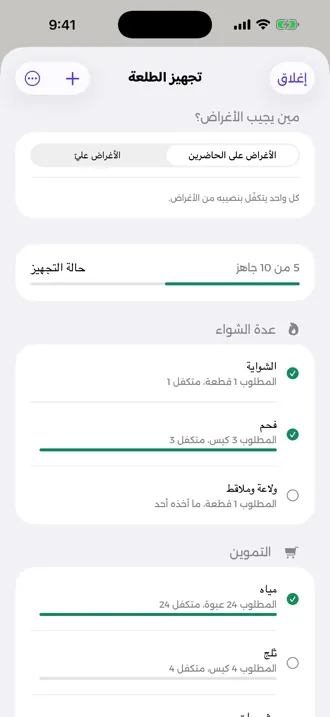
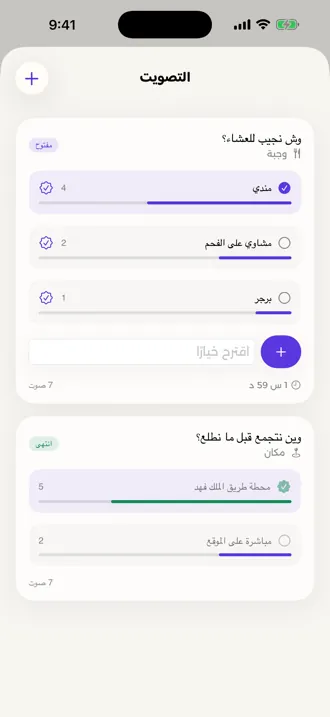
Camping, beach, dinner, rest house and more — the outing starts with its list and tasks.
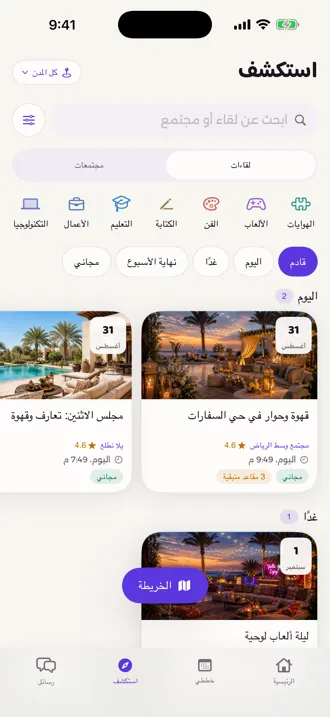
Outings, trips and gatherings in one tab, with a filter for each.
Rate the outing once it's over, and keep the verdict among you.
Communities
Create a community and publish it, or join ones near you. Each has its members, moderators, events, chat and posts.
Your community with its name, cover, description and city — published so it appears in Explore.
Roles and a management team, join requests to review, and bans you can lift.
A meetup with a time, place and seats — free, or paid via a transfer receipt the organiser reviews.
Every attendee gets a QR ticket the organiser scans at the door, or marks by hand.
Posts, replies, reactions and pinning, plus a community chat with channels.
Rate the meetup after attending; community ratings show up for anyone thinking of joining.
Search for a meetup or community, filter by city and interest, or see them on a map.
Gatherings
Create the gathering, choose its background and typeface, and send every guest their own link. They open it in a browser and reply — no account, no download.
Guests open the invitation in any browser and reply straight away — without creating an account. And add it to their calendar in one tap.
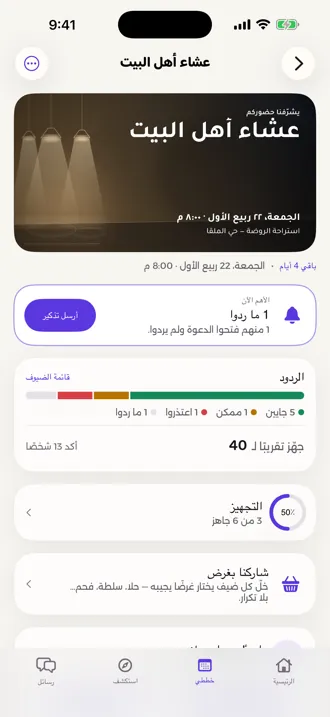
Backgrounds and typefaces to choose from, carrying the occasion, time and place.
A private link for each invitee, a public one you can post, or a QR code.
Going · maybe · declined · no reply — and a reminder for anyone who opened it and went quiet.
Save guest lists and reuse them, and let helpers add their own guests.
Each guest picks something to bring — dessert, salad, charcoal — with no duplicates.
An admission pass per guest, scanned at the door — and it works with no signal.
Travel
A trip with its cities, dates and travellers, a plan for each day, bookings and documents, decisions put to a vote, and an account everyone can read.
The trip dashboard shows each traveller what's actually waiting on them: a booking to confirm, a decision to weigh in on, or their share of the kitty.
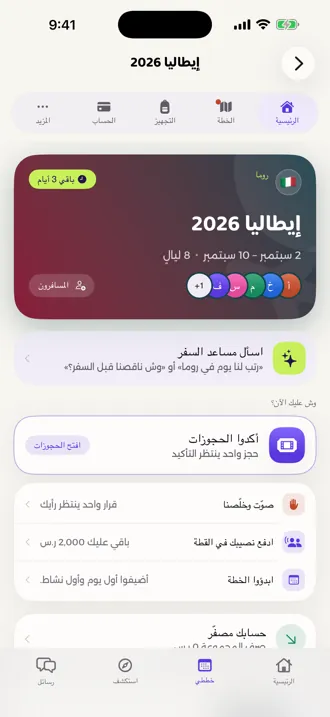
Invite the group with a link, and divide the responsibilities between you.
Each day's activities, laid out across the trip's days and cities.
Flights, hotels and paperwork in one place, visible only to the group.
Pending decisions get settled by a vote instead of a hundred messages.
A shared packing list for the trip, and a private one for each traveller.
Expenses in any currency, a kitty and float and wallets, a personal budget, and a final settlement.
Chats
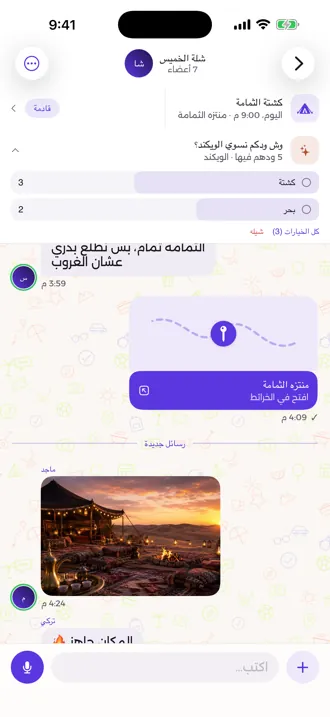
Every outing, group, trip and community has its own conversation, alongside direct messages. The details don't get lost between messages — they're part of them.
Muted the chat? A mention still reaches you — everything else stays quiet.
Yalla AI
Tell it what you want, by typing or by voice, and it builds the draft. You see it before it happens, and you're the one who approves it.
An outing, a trip or a gathering — drafted from what you said.
Suggests the supplies, their quantities and the tasks, based on the kind of outing and how many are coming.
“Plan us a day in Rome”, log an expense in any currency, or read a receipt.
Writes the invitation text and suggests a background that fits the occasion.
Every suggestion is shown before it's applied, anything touching money or hard to undo needs an explicit confirmation — and it names out loud whatever it worked out on its own.
The full assistant, by text and voice, is part of the AI Plus plan.
How it works
Say you're free, start an outing, or float an idea to your group.
One link, a personal invite or a QR code — even for someone without the app.
Attendance, polls, tasks, supplies and the kitty — all in one place.
Afterwards the settlement closes, and the review stays with you.
Plans
Everyone joining an outing uses it free — only the organiser subscribes.
Free
Organise all your outings without paying a thing.
139SAR / year
For the one who organises, holds the money, plans the trip and hosts the night.
259SAR / year
Everything in Pro, plus a mind that plans with you.
Subscriptions are annual, managed through your Apple account, and can be cancelled any time from your device settings.
Privacy
The kitty, expenses and settlement are bookkeeping only. You transfer between yourselves, outside the app.
Contact matching is off by default and only runs with your permission — your address book never leaves your device.
From inside the app, with a seven-day grace period in which you can cancel the request.
Your data is processed under the Saudi Personal Data Protection Law (PDPL).
Privacy policyTerms of serviceChild safety standardsSupport & account deletion